
AgentBOX API Integration with WordPress
AgentBOX API Integration with WordPress
AGENTBOX API • REAL ESTATE INTEGRATION • CUSTOM DEVELOPMENT
AgentBox API Integration for Real Estate Websites
Connect AgentBox with your website, CRM, property portal, or business systems using custom API integration. Cyberorama builds solutions for syncing property listings, enquiries, agent data, and real-estate workflows with reliable automation and scalable development.
Key points:
- AgentBox API Integration
- Property Listing Synchronization
- Real-Time Data & Enquiries
- WordPress & Custom Platforms
- Custom API Development
- Automation & Data Integration
Integrating AgentBox API with WordPress can provide valuable functionality for real estate websites, such as syncing property listings, managing leads, and displaying property details dynamically. Here’s a general guide on how to approach AgentBox API integration with WordPress:
1. Understand AgentBox API:
- Familiarize yourself with the AgentBox API documentation, including available endpoints, authentication methods, and data structures.
- Identify the specific features or data you want to integrate into your WordPress site, such as property listings, agent details, or lead management.
2. Choose Integration Method:
- Determine the integration method based on your requirements and technical expertise:
- Custom Development: Build a custom plugin or theme functionality to interact with the AgentBox API directly.
- Third-Party Plugin: Use an existing WordPress plugin that supports integration with external APIs, if available.
3. Custom Development Approach:
a. Set up Authentication:
- Implement authentication with the AgentBox API using the provided authentication method (e.g., OAuth 2.0, API key).
b. Retrieve Data:
- Develop functionality to retrieve property listings, agent details, or other relevant data from the AgentBox API.
- Use HTTP requests (e.g., WP HTTP API) or libraries like cURL to fetch data from API endpoints.
c. Parse and Display Data:
- Parse the API response data and format it according to your WordPress site’s design and requirements.
- Use custom post types, custom fields, or meta data to store and display property listings and other data.
d. Synchronize Data:
- Implement data synchronization to keep property listings and other data updated between AgentBox and WordPress.
- Set up cron jobs or event triggers to periodically fetch and update data from the AgentBox API.
4. Third-Party Plugin Approach:
- Search for existing WordPress plugins that support integration with real estate APIs, including AgentBox.
- Evaluate the features, compatibility, and user reviews of available plugins to find the best fit for your needs.
- Install and configure the chosen plugin, following the provided documentation and setup instructions.
- Customize the plugin settings and styling to match your WordPress site’s design and functionality.
5. Testing and Optimization:
- Test the integration thoroughly to ensure data accuracy, performance, and security.
- Conduct usability testing to verify the user experience of property listings and other integrated features.
- Optimize the integration for speed, responsiveness, and SEO to enhance the overall website performance.
6. Maintenance and Support:
- Regularly update the integration code or plugin to ensure compatibility with WordPress updates and API changes.
- Provide ongoing support to address any issues or user inquiries related to the AgentBox integration.
- Monitor API usage and performance metrics to optimize the integration and address any scalability concerns.
By following these steps and best practices, you can successfully integrate AgentBox API with your WordPress website, providing valuable real estate features and enhancing the user experience for visitors.
Have a Similar Project in Mind?
We help businesses with custom web development, eCommerce solutions, integrations and digital transformation.
XML Feed Integration with FTP and WordPress Post Automation
Need to connect an external XML feed to your WordPress website? Cyberorama provides custom XML feed integration services for businesses that need to retrieve XML files through FTP or SFTP, process structured data, and automatically create or update WordPress posts and custom post types.
Our XML to WordPress integration solutions can be built for property listings, products, directories, suppliers, marketplaces, business data, CRM systems, and other platforms that exchange information through XML feeds.
How XML Feed Integration Works with WordPress
An XML feed provides structured information from an external system. Instead of manually entering that information into WordPress, a custom WordPress XML feed integration can retrieve the feed, read its data, transform the information, and publish it automatically on your website.
For example, a real estate platform may provide property listings through an XML feed. A WordPress website can retrieve that feed, identify each property, map the information to WordPress fields, import images, create the appropriate property post, and update that information whenever the source feed changes.
This type of XML data integration is particularly useful when a business receives large amounts of regularly changing information and wants to eliminate repetitive manual data entry.
External Feed → Automated WordPress Content
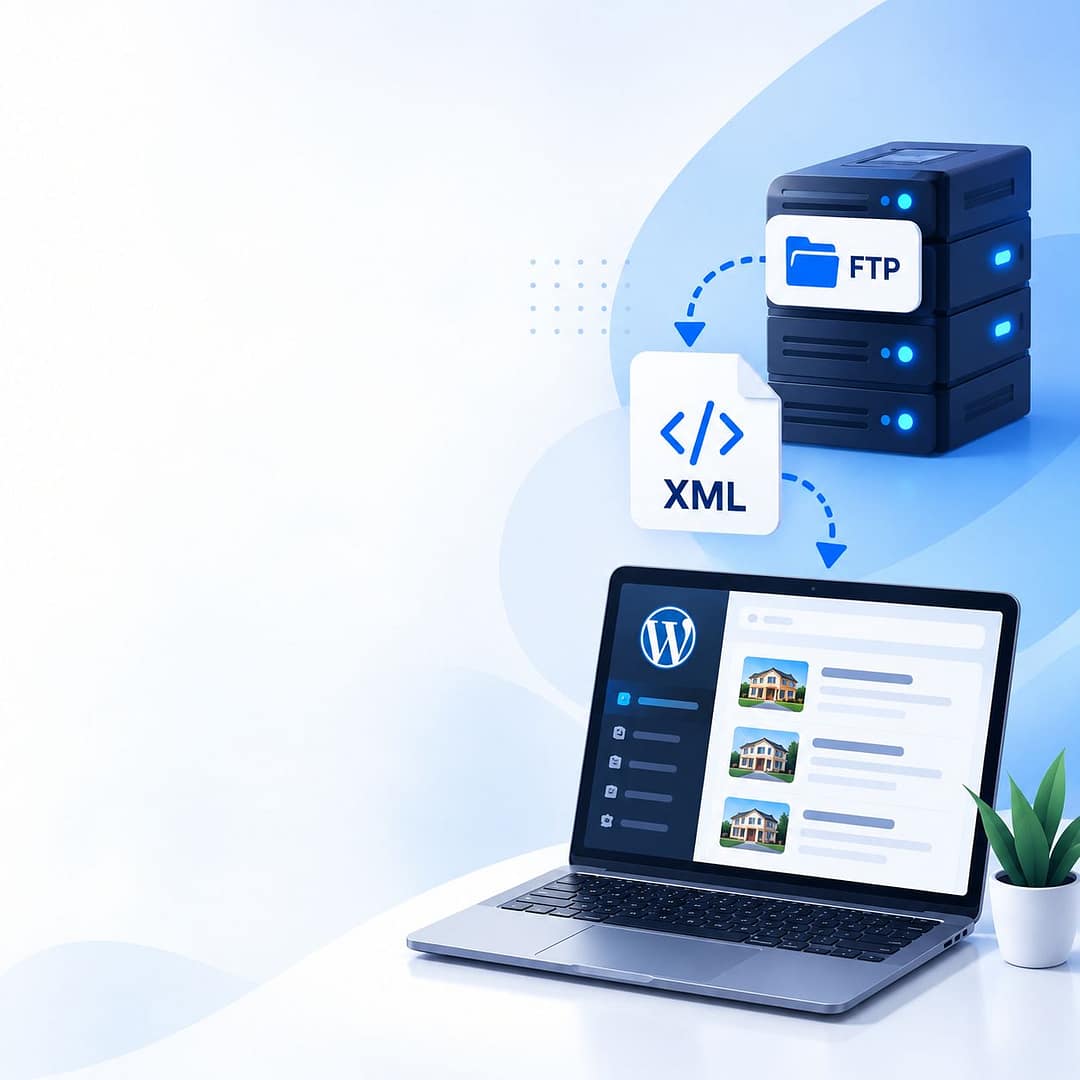
FTP/SFTP server → XML file → XML parsing → Data validation → Field mapping → WordPress database → Posts, custom fields, taxonomies and media.
Receiving XML Files Through FTP or SFTP
Many third-party platforms distribute structured information using FTP or SFTP. Rather than connecting directly to another application's database, WordPress can retrieve the XML feed from the designated file server and process it automatically.
An FTP XML feed integration can be scheduled to retrieve new files at regular intervals. Depending on the requirements, the integration can also distinguish between new files and files that have already been processed.
FTP XML Feed
Connect to the external FTP server, authenticate securely, locate the required XML file, and retrieve it for processing.
Secure File Transfer
Where supported by the provider, SFTP can be used for encrypted file transfers between the source platform and your integration.
Scheduled Imports
Schedule the XML import process to run automatically rather than requiring an administrator to manually upload each feed.
Import Tracking
Record successful imports, updated records, new records, skipped entries, and processing failures.
A custom integration can be developed around the exact FTP credentials, file structure, XML format, import schedule, and WordPress data structure supplied by your provider.
Hire WordPress Developers →Processing and Validating XML Feed Data
Downloading an XML file is only one part of an XML feed integration. The data must be parsed and validated before it is inserted into WordPress.
A custom XML importer can process XML elements, attributes, nested structures, identifiers, categories, descriptions, prices, locations, dates, images, and other fields required by your website.
XML feeds are not all structured in the same way. A reliable integration should be built around the actual XML schema and the business rules of the website rather than assuming that every feed can be imported using the same plugin or mapping.
Mapping XML Data to WordPress Posts
The core of an XML to WordPress integration is converting information from the external feed into the structure used by WordPress.
Depending on the project, XML elements can be mapped to standard WordPress post fields, custom fields, categories, taxonomies, featured images, galleries, or dedicated custom post types.
XML Title → WordPress Title
Import the external title into the WordPress post title or transform it according to the website's requirements.
XML Description → Post Content
Convert structured descriptions into formatted WordPress content while applying the required data-cleaning rules.
XML Attributes → Custom Fields
Store prices, reference numbers, locations, specifications, dates, IDs, and other structured information as custom fields.
XML Categories → WordPress Taxonomies
Map external classifications to WordPress categories or custom taxonomies used by your website.
If the website requires a custom WordPress architecture, our WordPress development services can be used to create the required post types, custom fields, templates, taxonomies, and import functionality.
Automating WordPress Post Creation and Updates
Once the XML data has been validated and mapped, the integration can automatically create new WordPress posts and update existing records. This is particularly valuable for websites receiving thousands of listings, products, properties, or other records.
Retrieve the XML Feed
The scheduled process connects to the FTP or SFTP location and retrieves the latest XML file.
Parse and Validate
The XML structure is checked before the integration processes individual records.
Identify Existing Records
An external reference or unique identifier can be used to determine whether a WordPress record already exists.
Create or Update WordPress Content
New records can create posts while existing records can be updated with the latest information from the XML feed.
Move or Archive the Processed Feed
Once processing is complete, the source file can be moved to a processed directory to help prevent accidental reprocessing.
XML Data and WordPress Custom Post Types
Not every XML feed should be imported as a standard blog post. For structured websites, a custom WordPress XML integration can create dedicated post types for the imported information.
For example, a real estate website may use a Property custom post type, while another project may require Products, Vehicles, Jobs, Events, Locations, Agents, Suppliers, or Directory Listings.
This type of functionality is especially useful when the XML feed forms part of a larger website or application. For complex projects, you can also hire dedicated web developers to build the integration around your existing WordPress architecture.
Importing Images and Media from XML Feeds
XML feeds frequently contain image URLs or references to external media. A custom importer can process those references and associate the correct images with the corresponding WordPress post.
Depending on the requirements, image processing can include downloading remote images, checking whether an image has already been imported, assigning featured images, creating galleries, and connecting multiple images with the correct record.
Preventing Duplicate WordPress Posts
A major consideration when building an XML feed integration service is determining whether each incoming record is new or already exists in WordPress.
The source system's unique reference number or external ID can be stored with the WordPress record. During future imports, the integration can use that identifier to locate the existing record.
Example Synchronization Logic
New external ID → Create WordPress post
Existing external ID → Update WordPress post
Invalid ID → Skip or flag for review
Removed source record → Apply the configured business rule
This prevents the same property, product, listing, or other record from being created repeatedly every time the XML feed is processed.
Example PHP XML Feed Import for WordPress
The following example demonstrates the type of PHP logic that can be used for a WordPress XML import process. In this example, XML files are read from a feed directory, processed one by one, and then moved into a processed directory after the import has completed.
The example is particularly relevant to developers working on custom XML feed integration, property feeds, listing imports, and automated WordPress content synchronization.
if (!empty($_GET['importfeed']) && $_GET['importfeed'] == 1 && $_GET['auth'] == 1) {
    $uploadDir = ABSPATH . "/feed";
    $processedDir = ABSPATH . "/feed/processed";

    // Create the processed directory if it doesn't exist
    if (!is_dir($processedDir)) {
        mkdir($processedDir, 0755, true);
    }

    // Get XML files
    $files = glob("$uploadDir/*xml");

    usort($files, function ($x, $y) {
        return strcasecmp(basename($x), basename($y));
    });

    $categories = array();

    if (is_array($files)) {
        $arr = array();
        $arr["edited"] = array();
        $arr["added"] = array();

        foreach ($files as $path) {

            $xml = simplexml_load_file($path)
                or die("Error: Cannot create object");

            foreach ($xml->children() as $key => $xmldata) {

                // Identify the property category
                $categoryid = get_category_id($key);

                // Process XML data and create/update WordPress content
                $arr = getpostdata(
                    $xmldata,
                    $categoryid,
                    $key,
                    $arr
                );
            }

            $filename = basename($path);

            // Move processed XML file
            rename(
                $path,
                "$processedDir/$filename"
            );
        }

        echo "Updated " . count($arr["edited"]) .
             " & Added " . count($arr["added"]) .
             " new properties.";
    }

    die();
}The import process checks whether an import request has been triggered, identifies XML files, creates a processed directory, sorts the available files, loads each XML document, loops through the XML records, determines the appropriate category, sends the record to a processing function, and finally moves the processed XML file.
The functions such as get_category_id() and getpostdata() would contain the project-specific business logic for mapping XML information into WordPress.
This example is provided to demonstrate the import concept. A production implementation should use proper authentication and authorization, validate input, restrict access to the import endpoint, validate XML files, handle malformed feeds safely, and include appropriate logging and error handling.
If you need help adapting an XML importer to an existing WordPress website, our WordPress developers can build the integration around your feed structure and business requirements.
XML Feed Error Handling and Import Monitoring
An automated XML importer should be designed to handle problems rather than assuming that every feed will always be valid. FTP connection failures, incomplete XML files, invalid data, authentication errors, missing fields, unavailable images, or changes to the feed structure can interrupt an import.
FTP Connection Errors
Detect connection and authentication problems before attempting to process unavailable feed files.
XML Validation
Validate the XML structure and required fields before importing information into the WordPress database.
Import Logs
Track successful records, updates, skipped entries, and failed imports for easier troubleshooting.
Feed Change Handling
Update the integration when an external provider changes XML fields, structures, authentication, or data formats.
When You Need Custom XML Feed Integration Development
WordPress import plugins can be useful when a feed is simple and follows a supported structure. However, a custom solution may be more appropriate when the project requires FTP or SFTP access, complex XML structures, custom business rules, large imports, custom post types, external IDs, image processing, or recurring synchronization.
Cyberorama can develop a custom XML feed integration around the way your existing website and external platform actually work.
FTP XML Integration
Retrieve XML files from FTP or SFTP servers and automatically process them on your WordPress website.
XML to WordPress Integration
Convert external XML records into WordPress posts, custom post types, custom fields, and taxonomies.
Automated Data Synchronization
Create scheduled processes that add new records and update existing WordPress content.
Custom XML Data Mapping
Transform and map complex XML structures according to your website's business and data requirements.
API and Third-Party Integration
Connect XML-based systems with WordPress, CRM platforms, property systems, marketplaces, and other applications.
Maintenance and Troubleshooting
Fix broken XML imports and maintain integrations when external systems change their feed structure or requirements.
XML Feed Integration for Real Estate Websites
Real estate websites are a common use case for XML feed integration. Property platforms can provide listings through structured feeds, allowing a WordPress website to automatically receive property information instead of requiring agents or administrators to enter every listing manually.
For projects involving AgentBox, XML feeds can form part of a wider integration strategy alongside APIs and custom WordPress development. You can learn more about our AgentBox API integration and our detailed guide to hiring an AgentBox API developer .
We have also published additional information about AgentBox API integration for real estate platforms , including property data, enquiries, staff information, automation, and custom integration requirements.
Need Help with XML, WordPress or Custom Integration?
XML feed integration can be part of a larger WordPress, eCommerce, API, or custom web development project. Explore the following resources if you need help with development, integration, migration, or ongoing website improvements.
Connect Your XML Feed to WordPress
Need to import XML files from FTP or SFTP into WordPress? Cyberorama can build a custom XML feed integration that retrieves external files, processes XML data, maps fields, creates or updates WordPress posts, imports images, handles custom post types, and automates recurring data synchronization.
Whether you need a property feed integration, product feed, directory import, CRM data synchronization, AgentBox integration, or another custom XML solution, we can develop the integration around your existing platform and business requirements.
Discuss Your XML Integration
Recent Posts

How Much Does It Cost to Hire a Web Developer in 2026?

